This is an update to my July agentic workflow.
The model stayed fairly steady this month. GPT-5.6 Sol at high reasoning effort handled the daily Codex work. Most of the changes were in how I ask the agents to diagnose problems, prove the result, and hand it back.
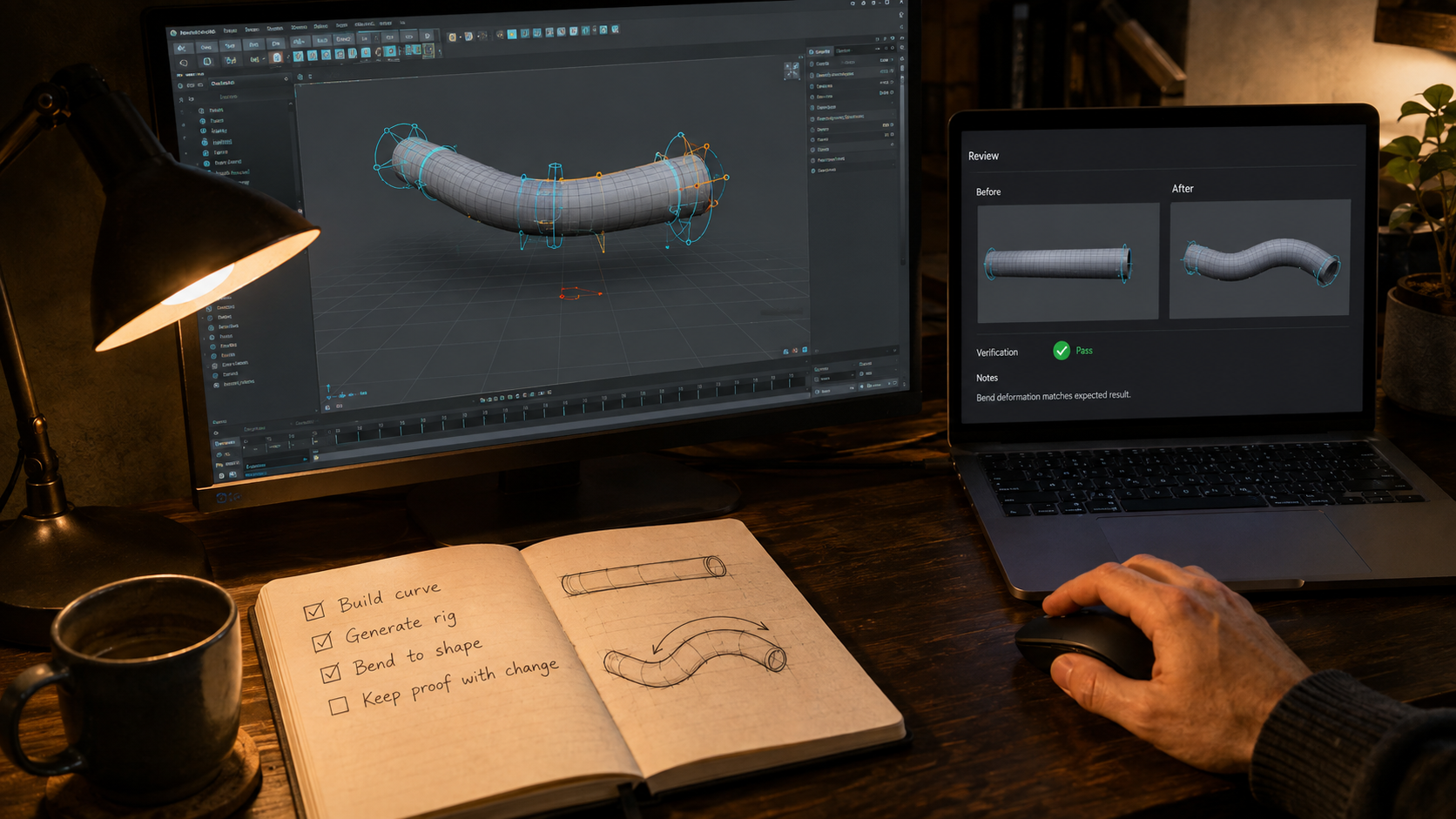
CurveDeform drove a lot of that. It is a native C++ Maya plug-in with Python tools and a PySide interface. Matteo Barison built the first implementation. My work focused on hardening it and getting the intended artist workflow working reliably.
It is a useful project for testing the agent setup because there are so many ways to be almost right. The math can pass while selection feels broken. The plug-in can work in a prepared scene and fail when I reopen it. A screenshot can look correct while the next mouse interaction exposes the problem.
I want the agent to catch as much of that as it can. I also want a better handoff for the parts I need to judge myself.
Real Maya proof and a real Maya handoff
Last month I described maya-plugin-e2e, the skill that runs repeatable plug-in proof through Maya Stall. It gives the agent structured results, screenshots, and recordings from the candidate build.
The missing companion was a manual session. Open the exact build in Maya, prepare the right scene, and leave it ready for me to use.
That is what maya-plugin-manual does. It prepares one persistent interactive session with the plug-in binary and Python tools from the same revision.
The distinction matters in practice. An automated run can finish and clean up. A manual handoff has to preserve the scene while I inspect it. It must also avoid restarting Maya or replacing a session I am already using.
For CurveDeform changes that need my judgment, the task now has an explicit PASS or FAIL checkpoint. The agent prepares the candidate. I try the interaction. Then it continues with review and the remaining checks, or goes back to the failure I found.
I still catch things here. Viewport feedback, selection, pivots, cluster placement, deformation, and scene reloads all produced useful corrections. Those are things I want to test by using the tool.
This is a better use of my time than watching the agent compile or asking it to run the next command. It can prepare the whole thing and bring me in when I can make a useful decision.
PatchProof keeps the evidence with the change
PatchProof became part of the normal handoff this month.
It uploads screenshots and videos and returns Markdown for the pull request or merge request. That gives the proof somewhere to live after the local test run is gone.
I wanted this because a path to a screenshot on the agent’s machine is a poor review artifact. I should be able to open the change and see what was tested there.
The image still needs context. Which build was running? What action did the scenario perform? What does the screenshot show? The workflow keeps those details with the Maya result and the relevant media.
This is useful outside Maya too. GG Gantt went through renderer, planner, and project-storage work with browser parity checks before making React the default. The mechanism was different, but the handoff needed to show the interaction the issue claimed to change.
I want screenshots and recordings to answer a review question. More media is not automatically better proof.
Diagnose before changing the code
I brought more of Matt Pocock’s and PStack’s engineering workflows into the setup, particularly diagnosing-bugs, architect, and blast-radius.
diagnosing-bugs makes the agent establish the failure and test an explanation before editing. This is useful when the first plausible fix is tempting but the cause is still unclear.
architect helps when the change needs a design decision. blast-radius asks what else the change affects, including runtime behavior beyond the immediate diff.
They fit around the existing TDD and review loop. They do not all need to run on every patch.
A CutMesh fix was a good example. The agent read the architecture guidance and decided the correction stayed inside an existing join operation. There was no new ownership or data-format decision to make, so it skipped the architecture step.
I want that judgment. Adding a skill should not turn a small fix into a design exercise.
In another task, the impact review checked whether a safety guard ran before registration, undo operations, or deletion. That is a concrete concern in Maya. A rejected operation can still damage the scene if the rejection happens after the first mutation.
The planning skills also became more focused. craft-prompt and to-tickets worked together to turn a live reproduction into a bounded issue with the failure, constraints, and required proof. When the scene already supplied the evidence, there was no reason to interview me again.
I refreshed the Matt Pocock bundle and replaced the old to-issues route with to-tickets. TDD stayed in the loop. The names changed where needed, but the idea is familiar: make the behavior clear, then let the implementation follow.
The maintainer loop needed to stop rereading everything
The coordinator had its own source of wasted work.
Checking an active task is useful. Rereading its long conversation every few minutes while it waits for the same unavailable host is less useful. It fills the coordinator’s context with information it already had.
I changed the monitoring workflow to keep a compact state ledger and use cursor-based waits. The coordinator asks for new state since its last check. It only reads the longer history when something needs investigation.
The heartbeat also backs off during unchanged external waits. It checks every five minutes while work is moving, then moves to longer intervals when there is nothing new to act on. A decision waiting only on me does not need the same attention as a build about to finish.
I like the maintainer loop when it keeps work moving without needing me. I do not want it spending the afternoon confirming that nothing changed.
To make this easier to inspect, I added agent-performance-audit. It reads local Codex history and creates a private report of corrections, tool failures, token accounting, and activity. Claude activity stays separate from the Codex measurements.
That gives me something more useful than a feeling that a task took too long. I can look at the repeated checks and corrections, then decide whether the instructions need changing.
A skill has to earn its place
One experiment ended with me removing the skill we had just created.
I added the shared create-verification-skill, maintain-verification-skill, and eval-skill workflows. The first two help a repository describe and maintain its user-facing verification. The third compares a skill with the existing workflow.
We tried the verification idea on CurveDeform. The generated project skill described the current UI flow. An initial real Maya run exercised opening the tool, loading a mesh, native authoring, applying Profile Mover, and saving the scene.
So it worked. The next question was whether it helped.
The comparison used two pairs of agents with the same task and an isolated Maya-compatible test setup. One agent in each pair had the new skill. The other used the existing repository documentation and shared Maya workflow.
All four runs passed. The independent judge ranked the two runs without the extra skill above the two with it. The difference was mostly how clearly they recorded the preflight decisions and evidence.
This was one task in a small controlled comparison, not a general verdict on verification skills. CurveDeform already had detailed instructions, and the extra project skill had not shown a benefit there.
I asked to remove it. We kept the shared tools for creating, maintaining, and evaluating skills.
That is a habit I want to keep. I have spent months adding instructions to the setup. It should also be possible to show that the existing workflow is enough.
More tests still need the right boundaries
I also looked back over the recent CurveDeform merge requests and the Codex tasks behind them. I wanted to know what the agents had tested and what I had actually approved.
The audit covered 25 merged requests and recorded 119 passing Maya scenario executions. Repeated runs count separately, so that number says something about how often we ran Maya, not how much code we covered.
The more useful finding was that some broad scenarios kept blocking unrelated changes. There were many assertions, but they were not always grouped around the behavior the issue was changing.
A diagnostics test can contain a lot of checks while the artist’s next selection or scene reload still finds a problem. I want the expensive Maya runs organized around complete workflows I recognize, with detailed checks in narrower integration tests where possible.
Artist authoring, production rigging, and scene lifecycle became the proposed shape for that work. The audit made the next changes clearer; the redesign still needed implementation.
This is the same concern I had with tickets in July. Dividing work into smaller pieces only helps if the boundaries match the thing we need to understand and test.
The daily setup
The core is still GPT-5.6 Sol in Codex, agent-scripts, repo docs, TDD, and autoreview. The Claude review route remains available. I have more specialized help around that core now, especially for diagnosis, Maya proof, and manual handoffs.
I also added unslop for the writing. Agent reports can be annoyingly polished while leaving the actual result unclear. I want them to say what changed, what worked, and what needs a decision. html-communication helps when a larger report is easier to read outside a long chat response.
The part I want to carry forward is the ability to question the workflow itself. Inspect the history when the agent keeps repeating work. Try the candidate when the interaction matters. Compare a new skill with the existing setup before assuming it is an improvement.
Sometimes the result is another tool. Sometimes it is one less instruction for the agent to read.